
Key Takeaways
- CMS development lets UK businesses manage website content without waiting on a developer for every small edit.
- Common approaches include open source, custom, headless, and ecommerce CMS platforms — each suits a different workflow and growth plan.
- A proper process runs from requirement analysis and planning through design, development, testing, deployment, and ongoing maintenance.
- Typical UK costs range from £4,000 for basic builds to £50,000+ for advanced custom solutions.
- The right partner matters as much as the platform — portfolio, industry fit, and post-launch support should guide the choice.
CMS Development in UK: A Complete Guide to Features, Cost, Types & Development Process
You built a website. Then six months later you needed to change one price on one page, and you had to email a developer and wait three days. Sound familiar?
That waiting game is exactly why so many business owners start searching for CMS development in UK. They are tired of depending on someone else just to fix a typo.
In this guide we will walk through what CMS development actually means, why UK businesses are moving toward it, what it costs, how it works, and how you pick the right partner for it. No fluff. Just the stuff you actually need before you spend money.
What Is CMS Development in UK
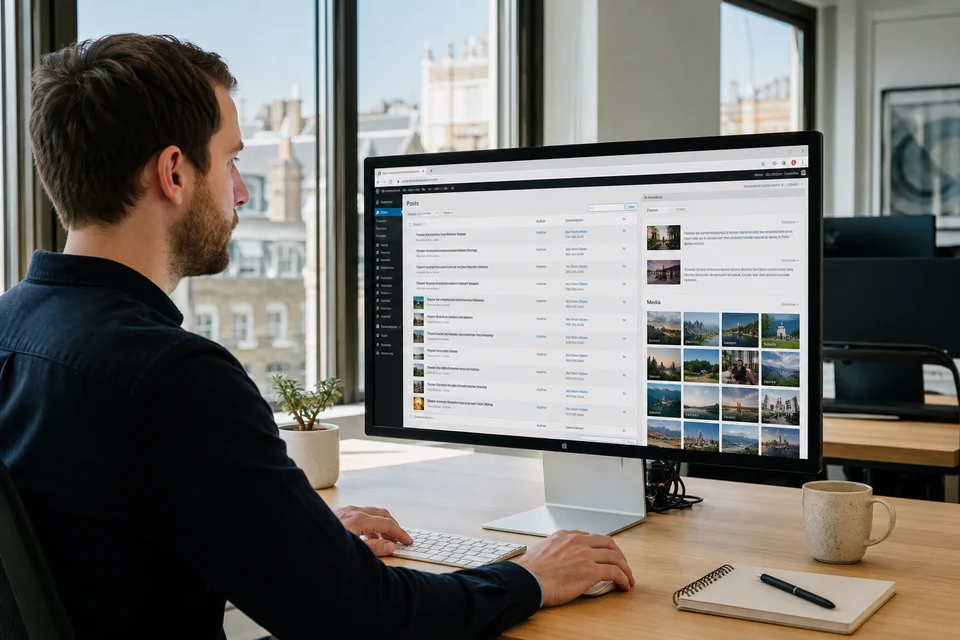
CMS development is the process of building or customising a content management system so a business can manage its own website content without needing a developer for every small change.
Think of it like this. A normal website is a locked room. Only the person with the key, your developer, can go inside and move things around. A CMS gives you your own key. You can walk in, update a product price, add a blog post, swap an image, and walk out. No waiting.
For UK businesses, this matters a lot. Teams are small. Marketing managers wear five hats. Nobody has time to raise a ticket for a homepage banner change.
Here is a quick way to see the difference.
| Traditional Website | CMS Website |
|---|---|
| Developer dependent for every edit | Admin can edit content directly |
| Limited flexibility for new pages | Easy to scale and add pages |
| Small changes need technical work | Content team manages updates |
I have sat in meetings where a client showed me their old site and said, we spent good money on this, but we are scared to touch it. That fear is the real reason CMS development exists.
Why UK Businesses Need CMS Development
The UK market moves fast. Ecommerce brands change offers weekly. Local service companies update availability daily. Nobody can afford a static, frozen website anymore.
Here is what a proper CMS actually gives a business.
- Faster content updates without calling a developer
- Better workflow between marketing, design, and content teams
- Easier SEO management, meta titles, alt text, and blog publishing
- Lower long term cost since you are not paying per edit
- Room to grow, add new pages, sections, or shops later
- Stronger security when the CMS is maintained properly
During CMS projects, one thing we have noticed again and again is businesses underestimate what they will need a year from now. They build a CMS sized for today, then six months later they are stuck because it cannot handle a new product category or a booking system.
Plan a little ahead. It saves a rebuild later.
The demand for this kind of flexible content management is not just a feeling either. Market data from Mordor Intelligence values the global CMS market at USD 33.28 billion in 2026, growing toward USD 48.17 billion by 2031. That growth is a signal.
Types of CMS Development Solutions in UK
Not every business needs the same kind of CMS. This is where a lot of people get stuck comparing platforms without knowing what category they actually fall into.
Open Source CMS
Platforms like WordPress, Drupal, and Joomla fall here. They are ready made, widely used, and have thousands of plugins already built. Good for businesses that want to launch quickly without a huge budget.
Custom CMS Development
Some businesses have workflows that no ready made platform can handle. A logistics company that needs live shipment tracking built into content pages, for example. That is when a custom CMS makes sense. It costs more, but it fits exactly.
Headless CMS
A headless CMS separates the content backend from the frontend design completely, using APIs to push content anywhere, your website, your app, even a smart display in a store. It is a newer approach but growing fast among UK brands that operate across multiple channels.
Ecommerce CMS
For online shops, platforms like Magento and WooCommerce are built specifically to handle products, checkout, inventory, and payments. Small and medium ecommerce brands often compare WooCommerce development companies London UK when they need flexible, budget friendly online stores that still feel professional.
| CMS Type | Best For | Example |
|---|---|---|
| Open Source CMS | Small to mid size businesses | WordPress, Drupal, Joomla |
| Custom CMS | Unique business workflows | Bespoke built systems |
| Headless CMS | Multi channel brands | Contentful, Strapi |
| Ecommerce CMS | Online stores | Magento, WooCommerce |
Popular CMS Platforms Used by UK Businesses
This is usually where clients ask me, just tell me which one to pick. Honestly, it depends on what you are building. But here is a fair comparison of what UK businesses lean toward.
| Platform | Best For | Advantages |
|---|---|---|
| WordPress | Blogs, small business sites | Huge plugin library, easy to learn |
| Drupal | Complex, high security sites | Strong security, flexible architecture |
| Magento | Large ecommerce stores | Powerful catalog and inventory tools |
| Shopify | Fast launch online shops | Hosted, low maintenance |
| WooCommerce | WordPress based shops | Familiar admin, flexible plugins |
| Strapi | Headless, API first projects | Developer friendly, flexible content models |
Businesses looking for scalable ecommerce solutions often compare platforms carefully before choosing a partner, and many end up exploring options for magento development in London when their catalog and traffic start outgrowing simpler tools. For enterprise digital experience needs, some UK teams also evaluate Kentico development in the UK.
Key Features of Professional CMS Development
A CMS is only as good as what it lets you do without calling for help. These are the features that actually matter, not just marketing checkboxes.
Custom Admin Panel Built Around Real Business Workflows
A strong CMS gives teams control through a custom admin panel designed around daily tasks, approvals, and content operations. I have seen businesses save hours when their CMS matches their actual workflow.
Smart User Roles and Content Approval Management
Not every team member needs full access. Role based permissions, user authentication, and approval workflows help businesses manage content safely while keeping accountability clear.
SEO Ready Content Management and Media Control
A professional CMS supports metadata, clean URLs, image optimisation, and media libraries. A reliable website development company UK often focuses on these foundations to improve search visibility and content performance.
Secure Integrations That Help Businesses Grow
Modern CMS platforms connect with APIs, CRM tools, payment systems, and analytics platforms. These integrations create a connected digital ecosystem instead of another isolated business tool.
Scalable CMS Features for Future Growth
A CMS should grow as your business grows. Features like multilingual support, mobile editing, responsive design, and flexible architecture help companies handle changing customer needs.
Custom CMS Development vs Ready Made CMS
This is probably the biggest decision point in the whole process. Let us break it down honestly.
| Custom CMS | Ready Made CMS |
|---|---|
| Fully personalised to your workflow | Faster to set up and launch |
| Higher upfront investment | Lower initial cost |
| Full control over every feature | Some customisation limits |
| Built to scale with your exact needs | Scaling sometimes needs workarounds |
A mistake I see businesses make constantly is picking a CMS just because it is popular. Popular does not mean right for you. The right choice depends on your workflow, your growth plans, and honestly, your technical comfort level as a team.
If you are a small local business posting a blog twice a month, a ready made CMS is more than enough. If you are running a national operation with five departments feeding content into one site, custom starts making a lot more sense.
CMS Development Process in UK
People always assume this is just, build the website and done. It is not. Here is what an actual proper process looks like.
Step 1. Requirement Analysis: Understanding Business Goals Before Building
This is the stage where ideas become a proper development roadmap. Before choosing technologies or designing screens, developers understand how the business operates, who will use the CMS, and what problems the system needs to solve.
A detailed requirement analysis helps define:
- Business objectives and content goals
- Target audience and user behaviour
- Required CMS features and workflows
- User roles and permissions
- Third party integrations
- Security and compliance requirements
For example, an ecommerce company may need product management, inventory updates, payment integration, and customer data handling. A publishing business may need author accounts, content approval workflows, and scheduled publishing.
Skipping this stage usually creates problems later. The CMS may work technically, but it does not fit the team's actual working style.
Step 2. CMS Planning: Creating the Structure Behind the Platform
CMS planning is where developers decide how the entire system will function. Think of it like creating the blueprint of a building before construction starts.
This stage focuses on:
- Information architecture and website structure
- Content hierarchy and categories
- Database design
- Content models
- Navigation planning
- API requirements
- Future scalability
A well planned CMS makes content easier to manage because every piece of information has a clear place.
For UK businesses, planning is also important for SEO and user experience. A properly structured CMS supports clean URLs, organised content, faster navigation, and better search engine visibility.
Step 3. UI UX Design: Creating an Experience for Users and Administrators
CMS design is not only about how the website looks. The admin experience matters just as much.
A content manager might spend hours inside the dashboard every week. If the interface feels confusing, even simple updates become frustrating.
The UI UX design process usually includes:
- Website interface design
- CMS dashboard layout
- User journey mapping
- Wireframes and prototypes
- Mobile responsive design
- Accessibility considerations
A good CMS design balances simplicity with functionality. The goal is not to add endless buttons. It is to make important actions easy to find.
Step 4. Development: Turning CMS Architecture Into a Working Platform
This is where the planned structure becomes a real product. Developers build the frontend interface, backend systems, database connections, custom modules, and business integrations.
During CMS development, teams usually work on:
- Backend development and database management
- Frontend website development
- Custom CMS modules
- API integrations
- Authentication systems
- Security implementation
- Performance optimisation
The technology stack depends on business requirements, scalability needs, and CMS complexity.
Common Technology Stack Used for CMS Development
| Development Area | Technologies |
|---|---|
| Frontend Development | HTML5, CSS3, JavaScript, React, Vue.js |
| Backend Development | PHP, Laravel, Node.js, Python, Symfony |
| Database Management | MySQL, PostgreSQL, MongoDB |
| CMS Platforms | WordPress, Drupal, Magento, Strapi, Contentful |
| API Development | REST API, GraphQL, Webhooks |
| Cloud Infrastructure | AWS, Microsoft Azure, Google Cloud |
| Version Control | Git, GitHub, GitLab |
A professional website development company UK usually selects the technology stack based on long term business goals rather than choosing tools simply because they are popular. See also our guide to website development in the UK.
Step 5. Testing: Finding Problems Before Users Do
Testing is the stage where the CMS goes through real world checks. A platform may look perfect during development, but small issues often appear when different users, devices, and browsers interact with it.
A complete CMS testing process includes:
- Functional testing
- Browser compatibility testing
- Mobile responsiveness testing
- Security testing
- Performance testing
- Database testing
- User acceptance testing
Security testing is especially important because CMS platforms handle sensitive business information, user accounts, and website content.
Finding and fixing issues before launch protects the business from downtime, poor user experience, and security risks.
Step 6. Deployment: Moving the CMS From Development to Live Environment
Launching a CMS is more than pressing a publish button. A careful deployment process ensures the website works properly without affecting existing traffic or search rankings.
During deployment, teams usually manage:
- Server configuration
- Domain setup
- Database migration
- SSL installation
- Performance checks
- SEO migration checks
- Backup creation
For existing websites, developers also monitor redirects, indexing settings, and page performance. A small mistake during migration can impact organic visibility, so this stage needs proper planning.
Step 7. Maintenance: Keeping the CMS Secure and Updated
CMS development does not end after launch. This is where many businesses underestimate the ongoing work.
A website needs continuous improvement because technology, security threats, and customer expectations keep changing.
Regular CMS maintenance includes:
- Security updates and patches
- Website backups
- Performance monitoring
- Bug fixes
- Plugin and module updates
- Feature improvements
- Content optimisation
I have noticed one common mistake over the years: businesses invest in building a CMS but forget that maintenance protects that investment. A healthy CMS is not something you build once and leave untouched. It grows with the business.
CMS Development Cost in UK
This is the section everyone scrolls straight to. Fair enough. Here is a rough idea, though real numbers always depend on your specific project.
| CMS Development Type | Estimated Cost in UK | Approximate Timeline |
|---|---|---|
| Basic CMS Development | £4,000 to £10,000 | 4 to 8 weeks |
| Custom CMS Development | £10,000 to £30,000 | 2 to 5 months |
| Advanced CMS Solution | £30,000 to £50,000+ | 5 to 8 months |
What actually drives these numbers up or down:
- How complex the features are
- How detailed the design work needs to be
- How many third party integrations you need
- How experienced the development team is
- Ongoing maintenance and hosting costs
Real CMS development cost depends on details that only come out during requirement analysis. Anyone promising a fixed number before understanding your business is either guessing or padding the quote.
How to Choose the Right CMS Development Company in UK
This decision matters more than most people treat it. A cheap build now can turn into a very expensive rebuild in eighteen months.
What to actually check before signing anything:
- Their portfolio, and not just screenshots, ask for live sites
- Industry experience relevant to your business type
- Technical expertise across the platforms you are considering
- How clearly they communicate during the sales process itself
- What their post launch support actually includes
When selecting a partner, businesses should genuinely evaluate whether they are talking to a specialised CMS development company UK that understands both the technology side and the business side, not just one or the other. A team that only knows code but does not understand your customers will build something technically fine and practically useless.
Common CMS Development Mistakes Businesses Make
I have watched these mistakes happen more times than I can count. Learn from them instead of repeating them.
- Choosing a CMS without planning for future growth
- Ignoring security until something actually breaks
- Building a poor website structure that hurts navigation
- Skipping SEO planning entirely during development
- Selecting a company based only on the lowest price
One pattern we have seen repeatedly, businesses focus so hard on the initial development cost that they completely ignore long term maintenance expenses. Then a year later they are surprised the site needs money again. It always does.
CMS Development Best Practices for UK Businesses
A few habits separate the websites that age well from the ones that fall apart within a year.
- Keep the CMS and plugins updated regularly
- Build with an SEO friendly structure from day one
- Monitor for security threats, do not wait for a breach
- Keep proper backup systems running automatically
- Optimise performance so pages load quickly
- Train your team properly on using the admin panel
That last point gets skipped constantly. A brilliant CMS with an untrained team behind it is basically the same as a bad CMS.
The Future of CMS Development in UK
Things are shifting fast. AI powered CMS tools are starting to draft content, suggest layouts, and personalise pages automatically based on visitor behaviour. Headless CMS adoption keeps climbing because businesses want their content everywhere, not just on one website.
Automation workflows are cutting down manual publishing steps. And digital experience platforms are pulling content, commerce, and personalisation into one connected system instead of separate tools stitched together.
Where this goes next, honestly, nobody has a perfect answer. But businesses investing in flexible, well built systems now are the ones who will not need a painful rebuild when the next shift happens.
Final Thoughts
CMS Development in UK is not really about picking a trendy platform. It is about giving your business the freedom to update, grow, and manage content without depending on someone else for every small change. Whether you go with an open source platform, a custom build, or a headless setup, the goal stays the same, a system that works for your team, not against it.
Take your time picking the right partner. Ask hard questions. And plan a little further ahead than feels necessary right now.
Frequently Asked Questions
1. What is CMS development?
CMS development is the process of building or customising a content management system so businesses can manage website content without needing technical help for every change.
2. How much does CMS development cost in the UK?
Basic builds typically start around £4,000, while custom and enterprise systems can range well into the tens of thousands depending on complexity and integrations.
3. Which CMS is best for a small UK business?
Open source platforms like WordPress usually work well for small businesses that need to launch quickly without a large budget.
4. How long does CMS development take?
Simple builds can take a few weeks, while custom or enterprise systems often take several months depending on requirements and testing.
5. Do I need a custom CMS or is a ready made one enough?
If your workflow is fairly standard, a ready made CMS is usually enough. Custom CMS makes sense when your business has unique processes no ready platform can handle.
6. Is a headless CMS worth it for a small business?
Usually not right away. Headless CMS shines when you need content across multiple platforms, apps, websites, displays, which smaller businesses rarely need on day one.